A new dimension for Windows
Your desktops.
Now with sides.
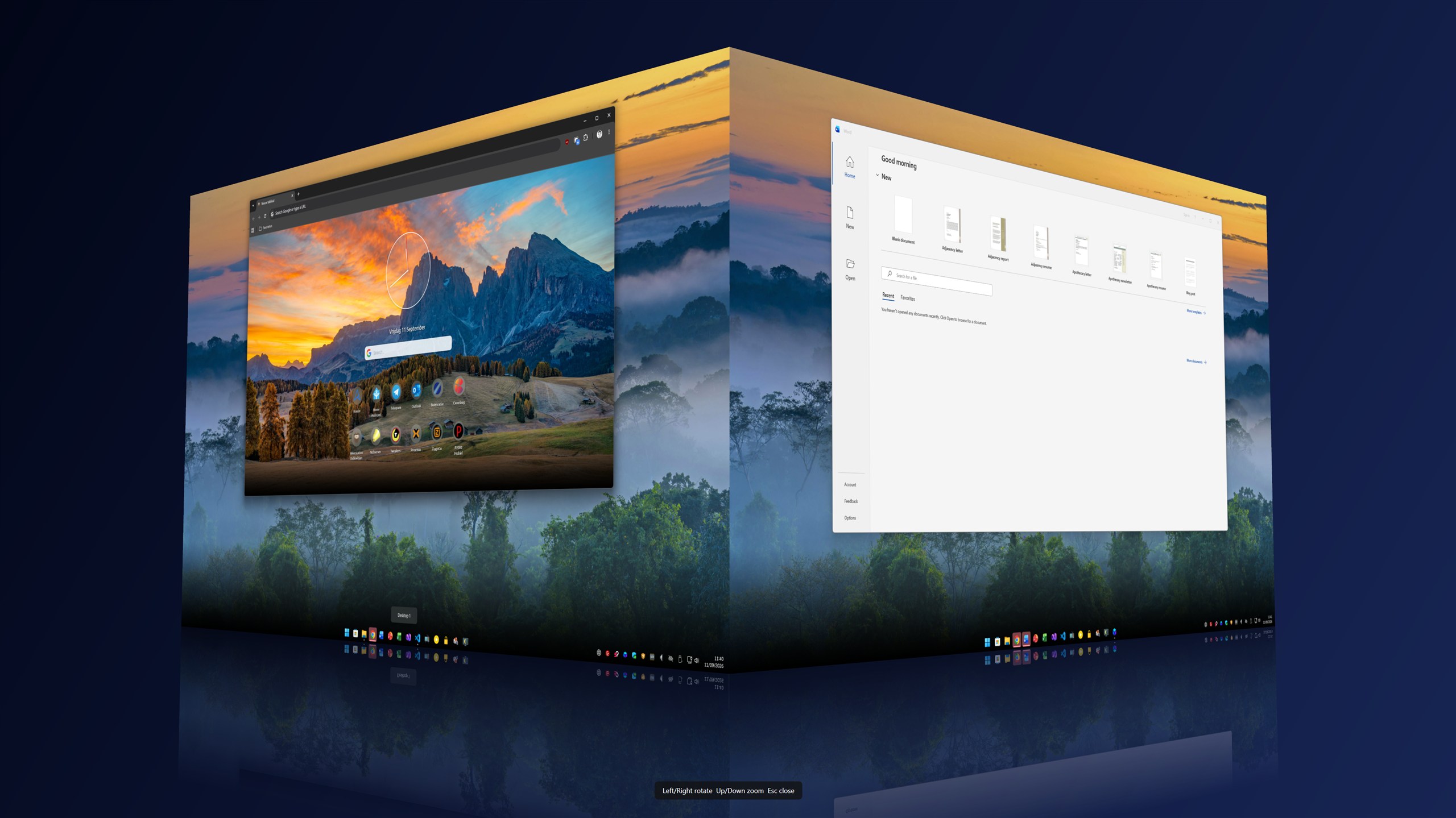
Four Windows desktops on one interactive cube. Rotate to the workspace you need, then release to switch.
04
virtual desktops
Hold. Turn. Release.
Switch context
without losing flow.
Each face is a real Windows desktop. Your apps stay where you left them.
- 01Hold your shortcutPress Shift + Ctrl + Alt to bring the cube forward.
- 02Choose a sideDrag, scroll or use the arrow keys to rotate.
- 03Release to switchThe selected face becomes your active Windows desktop.
ShiftCtrlAltHOLD
↔ROTATE
03DESKTOPRELEASE
The real thing
3DeskCube in action.
Real screenshots and a short live capture of the app. Select an image for a closer look.
Made to feel like yours
Make it feel right.
Set your shortcut, adjust the motion and choose a background.
Free during beta
Get 3DeskCube.
Free for Windows. Install it once, then open the cube from your shortcut or system tray.
Download for Windows1.0.7 Beta · Windows x64 · Windows setup
LATEST RELEASE1.0.7 Beta
FREE
- Platform
- Windows 10 / 11, x64
- Runtime
- Included
- Format
- Windows setup
- Price
- Free during beta
SHA-256
5a72cf33c79cd7545a08739a1c828b71dcf0e5745c12aa0d45455bfa315554e0
Because this is a beta, Windows may show a SmartScreen warning for the unsigned app.
Good to know
A few useful answers.
Installation, compatibility and downloads.
It maps four Windows virtual desktops to the faces of a 3D cube. Show the cube, rotate to another face and release to switch desktops.
Yes. Version 1.0.7 Beta is free to download and use. Pricing may change for a future release, but this beta download remains free.
Download the Windows setup, open it and follow the short installation flow. 3DeskCube then starts from the notification area.
The current build targets 64-bit Windows 10 and Windows 11. The required .NET runtime is included in the setup.
Compare the file's SHA-256 checksum with the value in the download card. If every character matches, the package is unchanged.